
Why does a dash cam record poorly at night? The cause is rarely a single setting. Night footage depends on available light, sensor and lens quality, exposure, image processing, bitrate, windscreen condition and camera placement.
During the day, even an average camera can produce apparently sharp video. At night it must handle a dark road, bright street lamps, oncoming headlights and reflective licence plates in the same frame.
This does not always mean the camera is faulty. Cleaning the glass, correcting the mounting position and checking the settings can solve some problems. Other limitations come from the hardware itself.
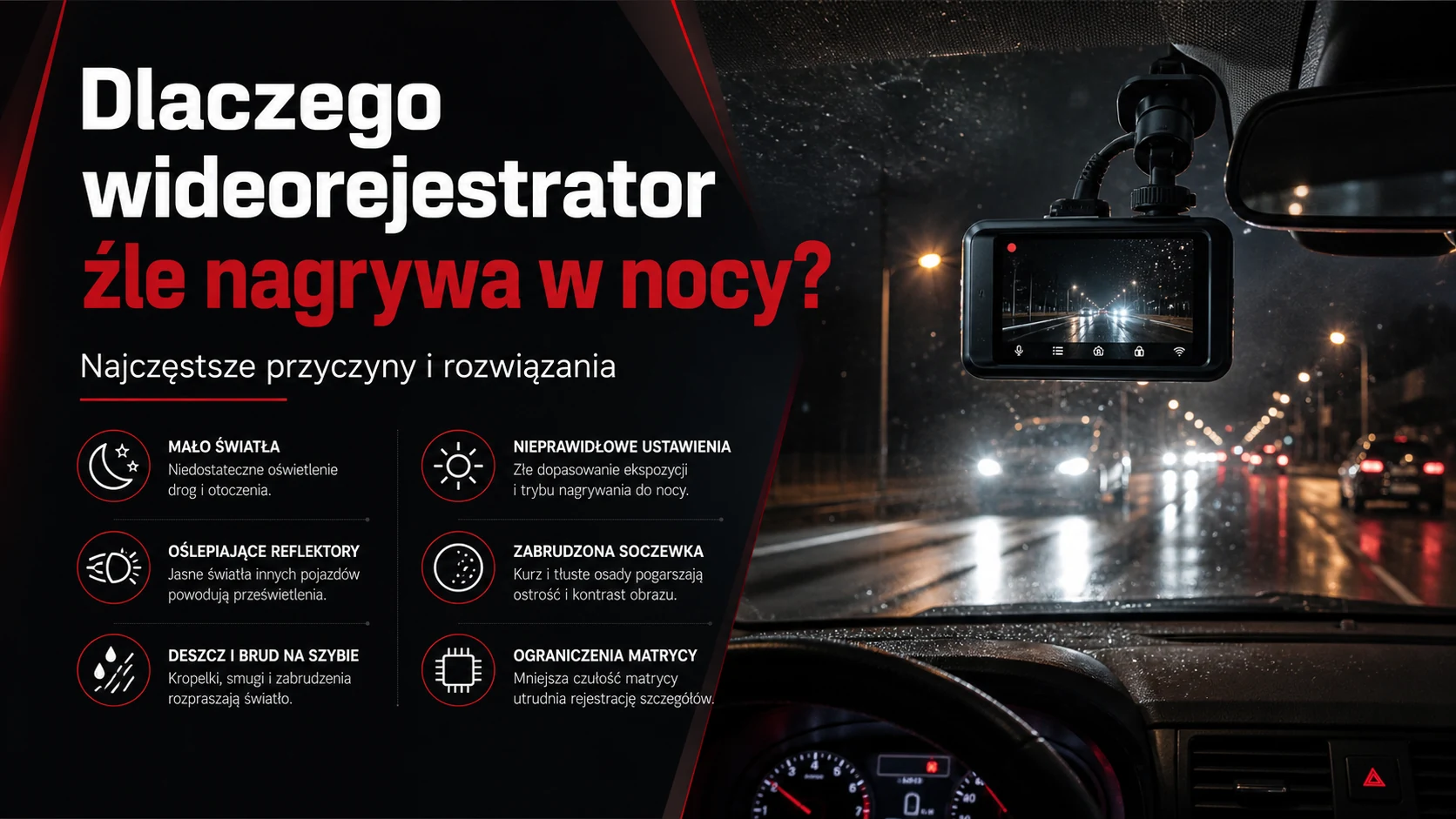
Why is recording at night so difficult?
A dash cam receives far less light at night. To brighten the image, it may increase sensor gain or use a longer exposure. Both choices have side effects.
- Higher gain can increase digital noise.
- A longer exposure can blur moving vehicles and licence plates.
- Bright headlights can create blown highlights.
- Aggressive noise reduction can remove fine detail.
Good night footage is therefore a balance between brightness, sharpness, noise and highlight control.
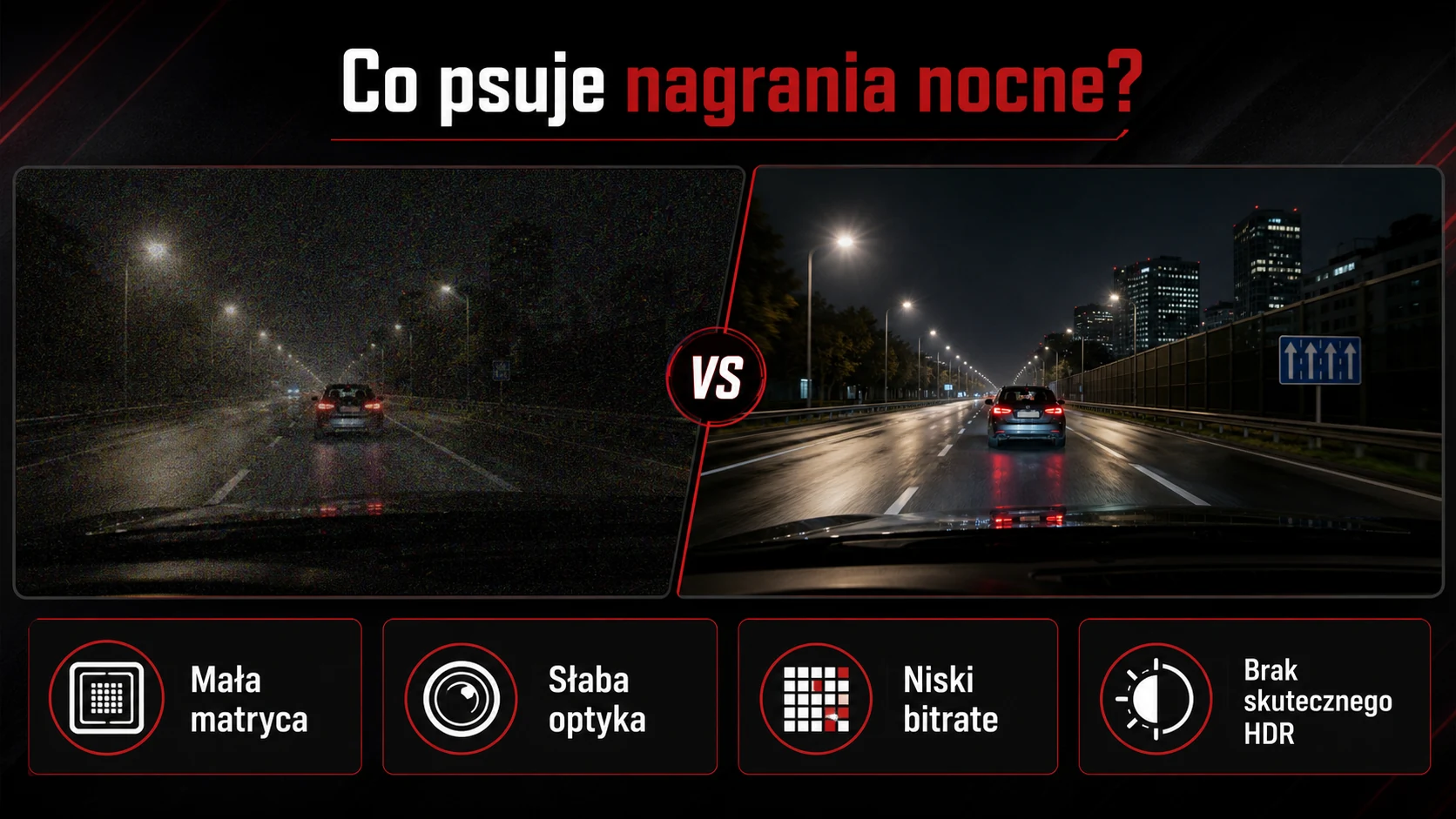
Common causes of poor dash cam night footage
A small or insensitive sensor
The sensor captures light. When very little light reaches it, a small or low-quality sensor must amplify the signal more strongly. This can create coloured noise, lost shadow detail and a smeared appearance after heavy noise reduction.
Poor lens quality
The lens must deliver enough light while keeping the frame sharp. Weak optics may cause soft detail, glare and large halos around lamps.
Insufficient bitrate
Night scenes contain noise and rapidly changing lights, which are difficult to compress. A low bitrate can create blocks, smearing and missing road or vehicle detail.
Ineffective HDR or WDR
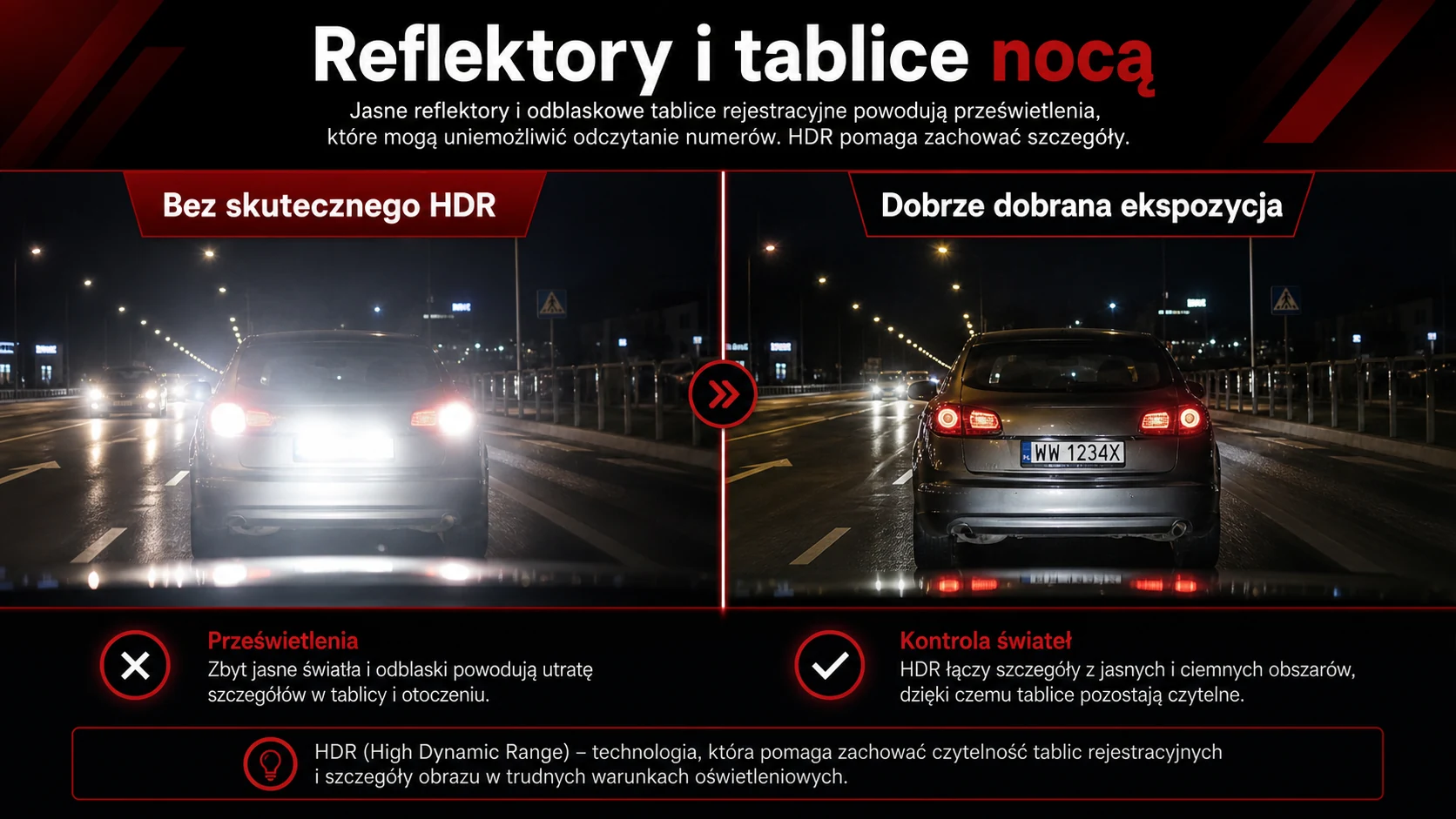
HDR should preserve information in bright and dark areas at the same time. If it is ineffective, a licence plate may become a white patch while the surrounding road remains too dark.
Why are licence plates overexposed?
Reflective plates return a great deal of headlight energy toward the camera. The result is a bright rectangle against a much darker road. Automatic exposure must decide whether to brighten the surroundings or protect the plate highlights.
Readability also depends on vehicle speed, distance, plate angle, rain, dirt and exposure time. Even a good camera cannot guarantee that every plate will be readable in every situation.
More pixels help only if useful information reaches the recording. Our 4K vs 2K dash cam comparison explains this in detail.
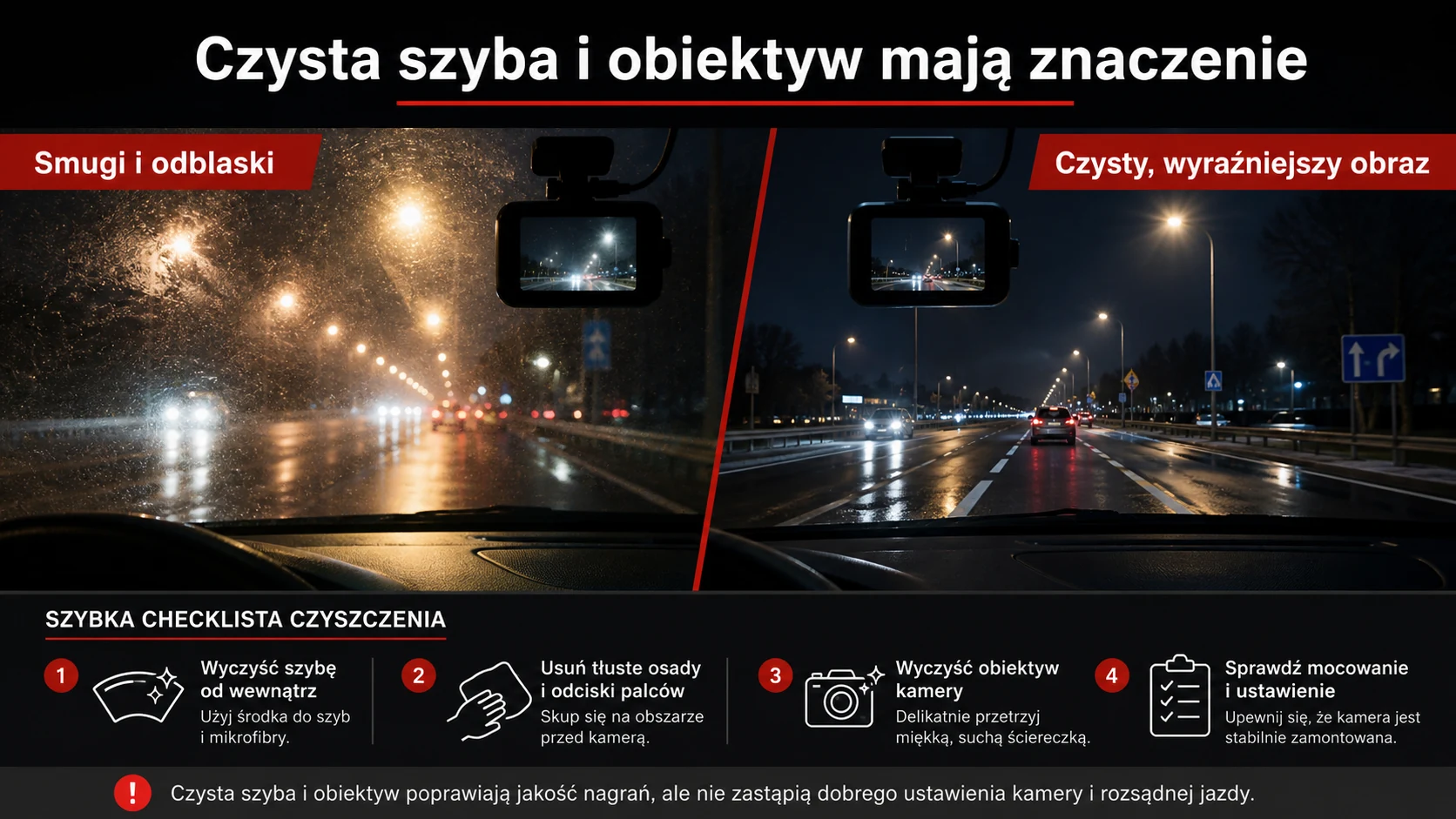
A dirty windscreen or lens can ruin the image
A greasy film on the inside of the windscreen can be almost invisible during the day. At night it scatters light from lamps and headlights, creating glare, streaks and reduced contrast. Dust or a fingerprint on the lens can have a similar effect.
Before blaming the camera:
- clean the windscreen inside and outside,
- remove greasy residue in front of the lens,
- gently clean the camera lens,
- check that no protective film remains on the lens,
- inspect the windscreen wipers.
Dashboard and interior reflections
If the camera is too far from the windscreen or mounted at the wrong angle, the recording may show reflections of the dashboard, vents or displays. Bright screens inside the vehicle can make the problem worse.
A CPL filter may reduce some reflections, but it cannot replace correct camera placement. It also reduces some of the light reaching the sensor, so it should be selected and adjusted carefully.
Should you change the exposure setting?
A small negative exposure correction may reduce blown highlights. Excessive correction, however, will remove detail from the roadside and shadows. Start with the manufacturer’s default settings and change one parameter at a time while comparing recordings from the same route.
Test the result in the city, on an unlit road, while passing other cars, and on both wet and dry surfaces.
Is 60 fps better at night?
A higher frame rate can improve motion smoothness, but each frame then has less time to collect light. On a particular model, 30 fps may produce a brighter, cleaner night image than 60 fps.
There is no universal answer. Compare footage from the exact device and mode you intend to use.
Memory card and firmware issues
A worn or unsuitable card can cause recording errors, gaps, damaged files or camera restarts. It will not improve optical quality, but it can determine whether the evidence is saved correctly.
Use a high-endurance card recommended by the manufacturer, format it regularly in the camera and check for firmware updates.
Correct dash cam placement
The camera should be mounted high, securely and close to the vehicle centreline, usually near the rear-view mirror. Too much bonnet or headliner in the frame can affect automatic exposure.
The installation must also account for the wiper area, sensors, windscreen heating and safe cable routing. A loose mount creates vibration that further reduces clarity at night.
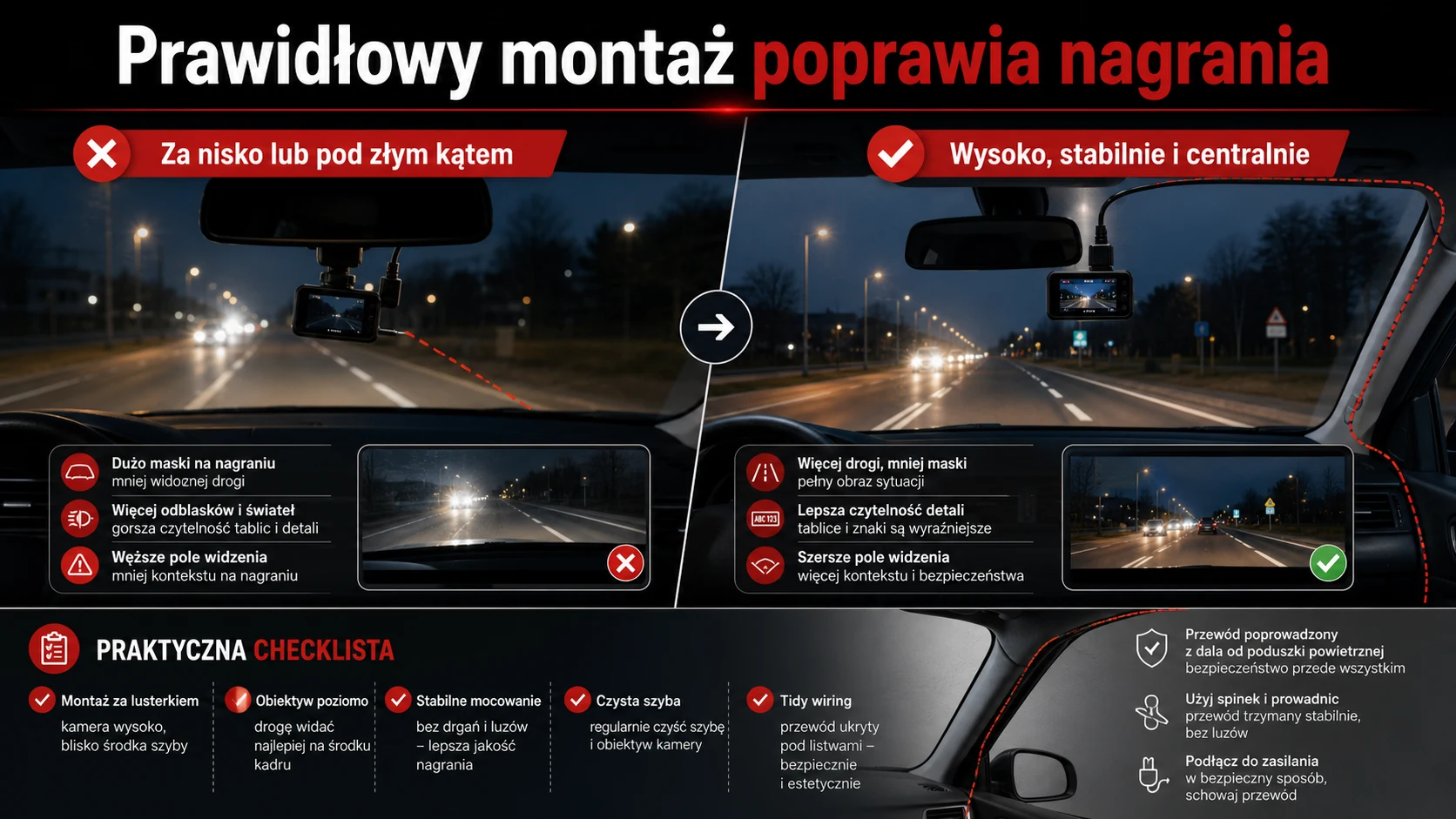
For a more advanced setup, consider professional dash cam installation. The camera position, hidden wiring, power supply and parking protection can then be configured for the specific vehicle.
Why can parking footage look even worse at night?
A parked vehicle may be in an area with almost no usable light. Trigger method, recording buffer, detection sensitivity and power supply also influence whether an event is captured.
Our guide explains how dash cam parking mode works.
How to improve dash cam night footage
- Clean the windscreen on both sides and clean the lens.
- Check camera position and mounting stability.
- Verify recording mode and HDR settings.
- Restore default settings if previous changes made the image worse.
- Compare 30 and 60 fps when both modes are available.
- Check the memory card and firmware version.
- Review the original file on a computer, not only the app preview.
If the video remains very dark, noisy or lacking detail, the sensor, lens or image processing may be the limiting factor. You can find available solutions in our dash cam section.
Why a dash cam records poorly at night: summary
Poor night footage may result from hardware limitations, but also from a dirty windscreen, incorrect mounting, reflections, unsuitable settings or memory card problems.
Eliminate the simple causes first and compare recordings in repeatable conditions. If the camera still cannot control contrast, movement and reflective plates, increasing resolution alone may not help—the quality of the complete system matters.
Frequently asked questions
Why do licence plates appear white at night?
The reflective surface can return enough headlight energy to exceed the camera’s highlight range. Effective HDR, sensible exposure and a better sensor may help, but speed, angle and distance still matter.
Why are there large halos around street lamps?
Dirt, greasy residue or moisture on the windscreen and lens are common causes. Weak optics can increase the effect.
Does a CPL filter improve night footage?
It may reduce dashboard reflections, but it does not solve every problem and it blocks some light. Correct mounting and a clean windscreen should come first.
Does 4K guarantee better night footage?
No. Resolution increases pixel count, but sensor quality, lens, bitrate, HDR and processing remain critical after dark.
Can professional installation improve recordings?
Correct position, a stable mount, a sensible field of view and reliable power can remove several avoidable problems. Installation cannot change the sensor, but it helps the camera work as intended.


